 Alactic Communications
Make WhatsApp part of how your business works.
A working home for customer conversations, campaigns and AI-assisted operations. Give your team the context, ownership and next actions behind each message.
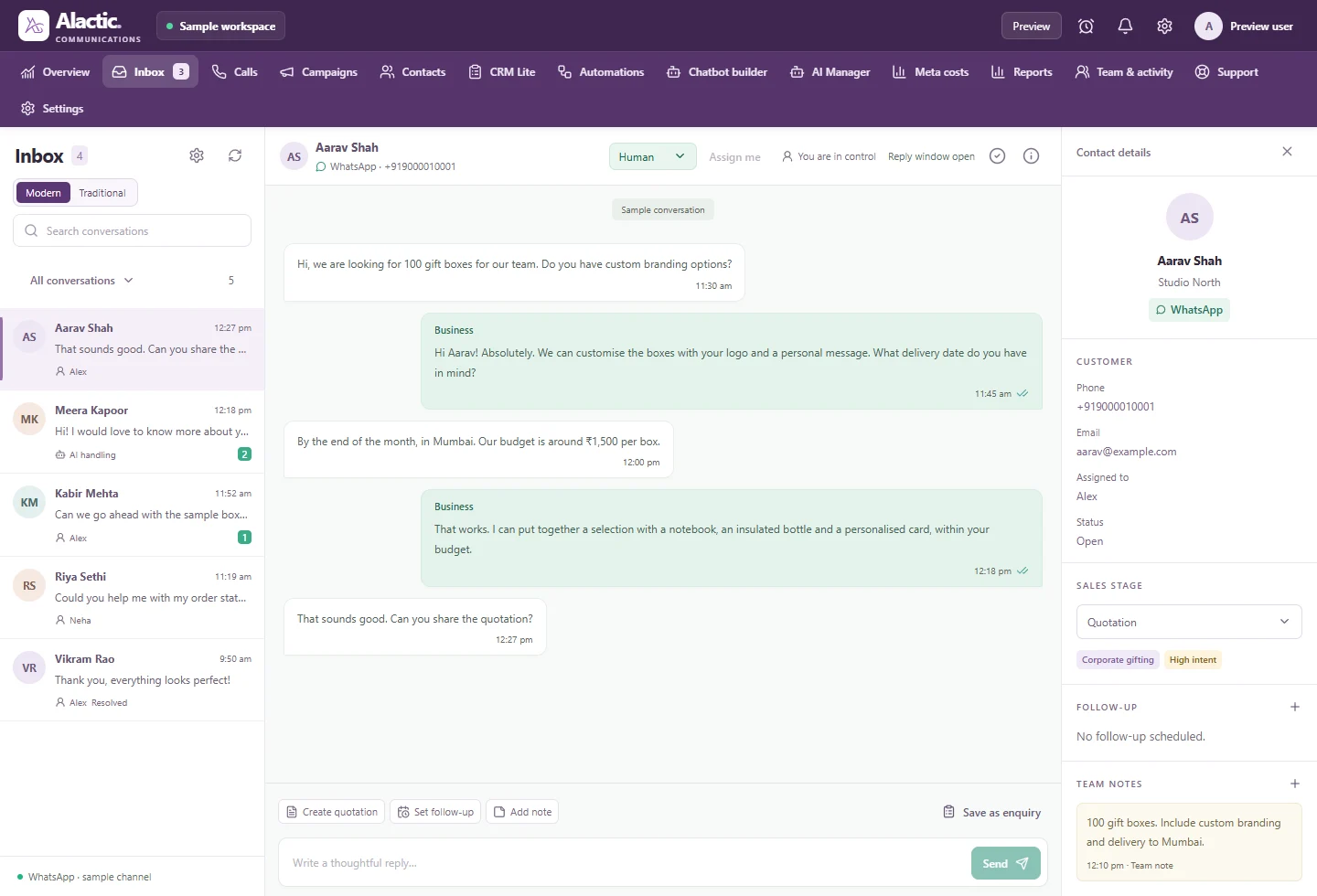
A conversation with context
Product preview · fictional data
Bring the work around the conversation together.
Start with the inbox, then add the tools your team needs for a defined customer journey.
A WhatsApp inbox your team can work from
Keep the conversation, its context and the next person responsible in the same working view.
ExplorePlan a WhatsApp campaign from audience to response
Prepare the audience, message and follow-up before you approve a campaign.
ExploreBuild templates ready for a proper review
Compose the message, provide meaningful samples and follow its Meta review status.
ExplorePlan and act with Alactic ACID AI Manager
Discuss customer work in natural language, then review supported workspace actions.
ExploreTurn a customer conversation into a repeatable workflow
Define the trigger, response, handoff and result before you automate.
ExploreUnderstand campaign delivery, responses and messaging costs
Separate what was attempted, what was delivered and what the customer did next.
ExploreAlactic ACID
An assistant that helps you prepare the next action.
Discuss a campaign, request a summary or prepare a supported workspace change. ACID uses business context and available tools to turn an intention into something your team can inspect. Eligible verified owners can also coordinate through the Alactic WhatsApp assistant.
Explore AI Manager Learn about Alactic ACID →A practical approval loop
- 1
Describe the outcome and provide the relevant business details.
- 2
Review the draft, selected audience, message or proposed change.
- 3
Approve the specific supported action with the right workspace permissions.
- 4
Check the recorded outcome and assign any follow-up work.
Plan voice and integrations with the right scope.
Calling and developer services have their own setup and rollout requirements. Confirm availability for your workspace before building a dependency.
Keep the launch grounded in real checks.
Confirm the connected number, team permissions, knowledge and first workflow. Meta manages template review and delivery eligibility. Permission, opt-outs and a human escalation path belong in the operating process.
Read the WhatsApp Business Messaging PolicyUnderstand the cost lines
Your product subscription, Meta messaging and metered AI or voice usage are separate considerations. Current plans and included allowances appear in the product checkout for your region and channel.
Explore product pricingInside Alactic Communications
From the first message to the next campaign.
10 product views. Explore the details, then take the recorded walkthrough.
Shared inbox
Keep every conversation with its customer context.
Explore this workflowCampaigns
Bring the audience, message and review together.
Explore this workflowChatbot builder
Shape the knowledge and personality of your assistant.
Explore this workflowWorkflow builder
Map a customer journey into connected steps.
Explore this workflowAlactic ACID
Explore AI testing, usage and business context.
Explore this workflowActual local product interfaces with fictional demo data. Select any screenshot to enlarge it. Available features depend on the product, plan and connected services.
The product in motion
Watch the workspace come together.
A silent screen recording of Alactic Communications. Follow the same views shown above, with playback controls to pause and inspect the detail.
Open the recordingContext, connected
Keep the conversation connected to the next step.
Bring customer context, team ownership and supported AI actions into a workflow people can follow.
Connected customer operations
Continue with a practical guide
Put the workflow into practice.
Pause expansion when business messaging outgrows its operating model
More messaging use cases can hide unresolved ownership and service gaps. Use a completed fictional checklist to decide what to limit, pause, or retire—and what evidence should be required before expansion resumes.
Business messaging foundationsTell customers where messaging ends and another channel begins
A channel change should not feel like starting again. Use a filled transition matrix to explain why a move is needed, who acts next, what carries over, and what customers can do if the next step fails.
Business messaging foundationsMake an asynchronous messaging service clear to customers
A chat interface can imply immediate attention even when your team works asynchronously. Choose a clear interaction model and explain what waiting, leaving and returning mean before customers have to guess.
Part of the wider Alactic ecosystem.
Add the products your customer operations need. Their features, setup and plans remain distinct.